
If you are not using At Home Articulation with a caseload of students, this article walks you through turning off the license assigned to your account.
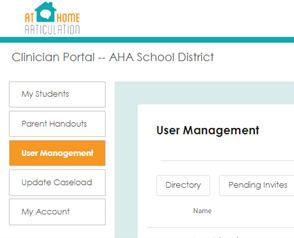
Step 1: Log In and Access User Management
- After you log in, look to the left side of your screen and click on "User Management".
Step 2: Unassign Your License (If You’re an Admin Only)
- By default, your account is set up with an assigned "clinician" license. If you’re not working directly with students and are only an Admin, you can free up this license.
- Click on “Admins”.
- Find your name, and click the toggle switch next to it.

- This will remove the clinician license from your account, freeing it up for someone else who may need it.